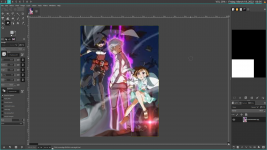
Designing a cover: removing text.

Katsuya

Well-known member
Joined
Jun 13, 2021
Messages
188
Points
83
Is there a way to remove text on a picture?

For example,

1647554028789.png


Not exactly this perse, but like, if you found a pic that fits your story but it has text, for example,

1647554145431.png

or,
1647554186516.png


How do you remove those words? is there a way? other than finding a raw version of it.

Edit: Oops, forgot to mention: with photoshop/editing. This is the site I use, https://www.photopea.com/
 
Last edited:

Kraken1

Well-known member
Joined
Dec 6, 2021
Messages
59
Points
73
The only way I know that this could be done is with something like photoshop. Either by cutting it out or using a mask. However I do no know how well the area where the text was can be filled in.
 

Katsuya

Well-known member
Joined
Jun 13, 2021
Messages
188
Points
83
The only way I know that this could be done is with something like photoshop. Either by cutting it out or using a mask. However I do no know how well the area where the text was can be filled in.
Hmm, i see. thanks.
 

yansusustories

Matchmaker of Handsome Men
Joined
Mar 13, 2019
Messages
621
Points
133
There are several ways, depending on where the text is and what the background is:
  • If the text is at the side somewhere, try cropping. That's pretty effortless.
  • If the text is further in the middle or cropping isn't possible but the background is simple (e.g., just one color), you can just draw over it. Get the color from the background surrounding the text, then carefully paint over it. This doesn't work with more complicated backgrounds though unless you're really good at painting.
  • Alternative: there are correction tools. They're under that "bandaid symbol" (the site isn't in English for me so not sure what they're called) and each of them does something different. E.g., with one, you can paint over a certain place and the site calculates what might go there based on surrounding pixels, for another one, you can mark a certain area and then drag something from another place of the image in there. Depending on the background, you might be able to do something with these tools. It's not a failsafe method for all pictures and can get messy especially with very complicated background as well. I'd say just try it out.
 

Katsuya

Well-known member
Joined
Jun 13, 2021
Messages
188
Points
83
There are several ways, depending on where the text is and what the background is:
  • If the text is at the side somewhere, try cropping. That's pretty effortless.
  • If the text is further in the middle or cropping isn't possible but the background is simple (e.g., just one color), you can just draw over it. Get the color from the background surrounding the text, then carefully paint over it. This doesn't work with more complicated backgrounds though unless you're really good at painting.
  • Alternative: there are correction tools. They're under that "bandaid symbol" (the site isn't in English for me so not sure what they're called) and each of them does something different. E.g., with one, you can paint over a certain place and the site calculates what might go there based on surrounding pixels, for another one, you can mark a certain area and then drag something from another place of the image in there. Depending on the background, you might be able to do something with these tools. It's not a failsafe method for all pictures and can get messy especially with very complicated background as well. I'd say just try it out.
I see. thanks.
 

Kraken1

Well-known member
Joined
Dec 6, 2021
Messages
59
Points
73
I have done some quick research and test. The content aware fill in photoshop might work.
 

CupcakeNinja

Pervert Supreme
Joined
Jan 1, 2019
Messages
3,152
Points
183
Is there a way to remove text on a picture?

For example,

View attachment 13057

Not exactly this perse, but like, if you found a pic that fits your story but it has text, for example,

View attachment 13058
or,
View attachment 13060

How do you remove those words? is there a way? other than finding a raw version of it.

Edit: Oops, forgot to mention: with photoshop/editing. This is the site I use, https://www.photopea.com/
use ms paint, paint over the text in white and you get the rest
 

InfantryTerminator

Well-known member
Joined
Jul 9, 2021
Messages
70
Points
58
It's mostly redrawing skill that varies in difficulty.

First image can be rather easily redrawn either manually, or through use of Warp Transform tool. Alternatively, you can just paint the with white and put in your own one (preferably expanding the dialogue box so the text will be visible when used as cover)

Second one cannot be redrawn manually without a lot of work. I would apply Gaussian Blur blur on it and put in the story title, so it looks like a halo effect.

Third one is just straight up pick the background color and paint it over inside decent painting program with anti-aliasing for brush (GIMP, FireAlpaca, Kirita, etc)
 
Last edited:

AliceShiki

Magical Girl of Love and Justice
Joined
Dec 23, 2018
Messages
3,529
Points
183

lnv

✪ Well-Known Hypocrite
Joined
Dec 24, 2018
Messages
487
Points
133
Is there a way to remove text on a picture?

For example,

View attachment 13057

Not exactly this perse, but like, if you found a pic that fits your story but it has text, for example,

View attachment 13058
or,
View attachment 13060

How do you remove those words? is there a way? other than finding a raw version of it.

Edit: Oops, forgot to mention: with photoshop/editing. This is the site I use, https://www.photopea.com/

First picture, that is simply white brush, 2nd picture smart patch tool with clone tool/brush to do fixups, 3rd picture just sample the red color and use a red brush.

Personally, I use Krita, it is 100% free and open source and mostly as powerful as photoshop.
 

InfantryTerminator

Well-known member
Joined
Jul 9, 2021
Messages
70
Points
58
Screenshot_20220318_002806.png

Warp Transform used to expand hair, small paint over followed by Smudge Tool to make it more natural

Screenshot_20220318_003612.png

Abuse of Warp Transform followed by Smudge Tool. The small grey line in bottom part (the one that cuts leg) is remain of the title warped by the tool and with some painting for concealment.

Screenshot_20220318_003800.png

Simply ran over with painting brush and used Smudge to erase rough edges.

Everything took me at max 15 minutes in GIMP. Half-assed for demonstration purposes, and could look more natural (which won't be noticed on tiny cover picture anyway)
 

Attachments

  • Screenshot_20220318_003612.png
    Screenshot_20220318_003612.png
    255.1 KB · Views: 67
Last edited:

tiaf

ゞ(シㅇ3ㅇ)っ•♥•Speak fishy, read BL.•♥•
Joined
May 29, 2019
Messages
3,074
Points
183
If you have the skills to effortlessly redraw the second picture, then you can probably just draw a custom cover :blob_joy:
 

Ai-chan

Queen of Yuri Devourer of Traps
Joined
Dec 23, 2018
Messages
1,665
Points
153
Is there a way to remove text on a picture?

For example,

View attachment 13057

Not exactly this perse, but like, if you found a pic that fits your story but it has text, for example,

View attachment 13058
or,
View attachment 13060

How do you remove those words? is there a way? other than finding a raw version of it.

Edit: Oops, forgot to mention: with photoshop/editing. This is the site I use, https://www.photopea.com/
Sorry, industry secrets. Ai-chan will not tell you. But if you have a picture that you want to have its text removed, show to Ai-chan and Ai-chan will tell you how difficult it is to remove.

So from your examples:
1. Easy. Some redraws may be needed but it's black and white, even a kid can do it.
2. Very hard. You need to do major redraws to the point that it's much easier to just cut the text out. Using photoshop tools will cause the text area to look bad.
3. Very easy. Even a noob at photoshop can remove the text.
 

Katsuya

Well-known member
Joined
Jun 13, 2021
Messages
188
Points
83
Sorry, industry secrets. Ai-chan will not tell you. But if you have a picture that you want to have its text removed, show to Ai-chan and Ai-chan will tell you how difficult it is to remove.

So from your examples:
1. Easy. Some redraws may be needed but it's black and white, even a kid can do it.
2. Very hard. You need to do major redraws to the point that it's much easier to just cut the text out. Using photoshop tools will cause the text area to look bad.
3. Very easy. Even a noob at photoshop can remove the text.
Haha. Ohhh~ new pfp huh.

1. Redraw? Never done that.
2. I see
3. ... I feel like I'm being called dumb. though, I could have done that either way, hehe. so ig im not so dumb.
Get your head out of the gutter.
???? huh?
use ms paint, paint over the text in white and you get the rest
I see. thanks
View attachment 13063
Warp Transform used to expand hair, small paint over followed by Smudge Tool to make it more natural

View attachment 13065
Abuse of Warp Transform followed by Smudge Tool. The small grey line in bottom part (the one that cuts leg) is remain of the title warped by the tool and with some painting for concealment.

View attachment 13066
Simply ran over with painting brush and used Smudge to erase rough edges.

Everything took me at max 15 minutes in GIMP. Half-assed for demonstration purposes, and could look more natural (which won't be noticed on tiny cover picture anyway)
OHHHHHHHH, thanks!
First picture, that is simply white brush, 2nd picture smart patch tool with clone tool/brush to do fixups, 3rd picture just sample the red color and use a red brush.

Personally, I use Krita, it is 100% free and open source and mostly as powerful as photoshop.
Thanksss. also for the site.
It's mostly redrawing skill that varies in difficulty.

First image can be rather easily redrawn either manually, or through use of Warp Transform tool. Alternatively, you can just paint the with white and put in your own one (preferably expanding the dialogue box so the text will be visible when used as cover)

Second one cannot be redrawn manually without a lot of work. I would apply Gaussian Blur blur on it and put in the story title, so it looks like a halo effect.

Third one is just straight up pick the background color and paint it over inside decent painting program with anti-aliasing for brush (GIMP, FireAlpaca, Kirita, etc)
Omg... why didn't I think of that... so simple. it escaped my mind. The white paint... sighhhhh.

I see i see.

Lol, true. Thanks for sites~
 
Last edited:

Ai-chan

Queen of Yuri Devourer of Traps
Joined
Dec 23, 2018
Messages
1,665
Points
153
Haha. Ohhh~ new pfp huh.

1. Redraw? Never done that.
2. I see
3. ... I feel like I'm being called dumb. though, I could have done that either way, hehe. so ig im not so dumb.

???? huh?

I see. thanks

OHHHHHHHH, thanks!

Thanksss. also for the site.

Omg... why didn't I think of that... so simple. it escaped my mind. The white paint... sighhhhh.

I see i see.

Lol, true. Thanks for sites~
Sorry if it offended you. Not calling you dumb. Just saying that it's so easy that even a noob can do it. There is a method where you get it done with just three tools and 6 clicks.
 
Top