Blender tutorials

Agentt

Thighs
Joined
Oct 8, 2020
Messages
3,531
Points
183
So, I have autoCAD as a subject this semester.


And many of my classmates have been telling me that Blender is like a hundred times easier than this.

And that got me curious, because like: Blender is fecking cool.


However like...it doesn't seem to be very beginner friendly. Nothing really seems intuitive and tutorials like, "how to draw a circle" being like 20 minutes long is very daunting, so does anyone have any tips?
 

Corty

Ra’Coon
Joined
Oct 7, 2022
Messages
4,662
Points
183
https://www.youtube.com/@BlenderArt/featured
https://www.youtube.com/@TheDucky3D/featured
https://www.youtube.com/@PIXXO3D/featured

Some channels I browsed when I tried my hand at blender, trying to make some models for better AI image creation and pose control. Both of the channels above have short videos that are ~10ish minutes long with tips.

But that is all I can think of while trying to help, as I gave up on it. All these kinds of things were simply not for me, and I couldn't get into them. :blob_pat_sad:
 

Bobple

Well-known member
Joined
Feb 9, 2022
Messages
367
Points
133
After I couldn't use cinema 4D anymore cause I graduated from high school, I tried to get into Blender... oh boy did that not go well.

Tips from my friend who actually learned it, "You got brute force through the beginnings of it, and remember to remember some good shortcuts."


Thankfully there is a lot of tutorials online, not sure which ones are the best though.
 

Zinless

Eeeeeeeeeeeeeeeeeeeeeeeeeeeeeeeeeeeee
Staff member
Joined
Jun 13, 2022
Messages
689
Points
133
I only ever used Blender to make mods, for Tales of Arise and the Fairytail game specifically.

Creating stuff from scratch is rough, but messing with existing mesh is fun.
 

Balasaurus

Member
Joined
May 20, 2022
Messages
1
Points
16
So, I have autoCAD as a subject this semester.


And many of my classmates have been telling me that Blender is like a hundred times easier than this.

And that got me curious, because like: Blender is fecking cool.


However like...it doesn't seem to be very beginner friendly. Nothing really seems intuitive and tutorials like, "how to draw a circle" being like 20 minutes long is very daunting, so does anyone have any tips?
So, I have autoCAD as a subject this semester.


And many of my classmates have been telling me that Blender is like a hundred times easier than this.

And that got me curious, because like: Blender is fecking cool.


However like...it doesn't seem to be very beginner friendly. Nothing really seems intuitive and tutorials like, "how to draw a circle" being like 20 minutes long is very daunting, so does anyone have any tips?
I tried learning blender,as my brother had a job in post production company where he was an editor. the first lesson i learned was you should not use laptop for it or have a laptop with great specs. Same with desktop. Second it takes too much time for rendering, so if u dont have patience JUST DONT TRY, or you will be like me banging your head on walls after few days.
Even after all this if you still want to learn first:
Have a beginners book ready(any u r comfy with)
Watch yt tutorials as mentioned in other replies.
If you can, learn it in internship or an organization (most suitable for learning quickly)
If you dont wanna spend money, look for udemy tutorials on torrent(not recommended, not a big fan of it, 100% virus guranteed in downloads) .
Hope this helps?
 

Cipiteca396

Monarch of Despair 🐉🌺🪽🌊🪶🌑🐦‍🔥🌈
Joined
Jun 6, 2021
Messages
2,700
Points
153
However like...it doesn't seem to be very beginner friendly. Nothing really seems intuitive and tutorials like, "how to draw a circle" being like 20 minutes long is very daunting, so does anyone have any tips?
Learning a skill like this will always be almost entirely a time investment. 20 minutes is nothing. Take the time to learn, or you'll just get frustrated. Don't be afraid to play around a bit though.

Also make sure to add lots of light sources. The thing I remember most from blender was not being able to see the result when I rendered.
 
D

Deleted member 1244

Guest
"how to draw a circle" being like 20 minutes long is very daunting, so does anyone have any tips?
I used to use 3dstudio max and maya... back when it was still what people used. My advice: make yourself small exercises/tasks to do. and figure out how to get there. Then do another one over and over.

E.g. I am going to make a house
I am going to make a dog
I am going to texture a rock
I am going to make a bump map
I am going to rigg a jello man
I am going to set up lighting and cameras
I am going to make a bucket of water
I am going to make a man running animation
etc. etc.
 

owotrucked

Chronic lecher masquerading as a writer
Joined
Feb 18, 2021
Messages
1,465
Points
153
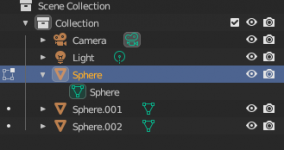
1. In object mode, start by deleting the default cube and add a UV sphere.
blender1.png


2. Put yourself in an isometric view. For instance I clicked on X vector of the gizmo top right. Select your sphere and right click to duplicate objects
blender2.png

3. You will be given the chance to place a new sphere with your mouse. Hit the "Y" button of your keyboard to constrain the new sphere to move in the Y axis. Place the new ball next to the original sphere.
Note: You can constrain on other axis by hitting the "X" and "Z" button too.
blender3.png

4. Repeat the duplication to put another sphere on the other side.
blender4.png

5. Select your middle sphere, and switch blender into EDIT mode. Make sure that the middle sphere has the edit icon circled in red in the following picture.
blender5b.png

6. Put the camera in top view (Z). The vertices of your middle sphere should be visible.
blender5.png

7. Select the top vertices of the middle sphere by dragging your left click
blender6.png

8. Return to your initial view (X) and click on mesh > extrude > extrude face
blender7.png


9. Drag the face up. Congratulation, you made your first 3D dick.
blender8.png
 

Attachments

  • blender5b.png
    blender5b.png
    15.2 KB · Views: 56

Kraken1

Well-known member
Joined
Dec 6, 2021
Messages
59
Points
73
It depends on what you want to use it for. I haven't used AutoCAD but I have used blender and am learning maya at university. From a quick look it seems autoCAD is designed for more precise engineering?

Both maya and blender are quite easy to use once you get to know them in my opinion. For blender it's mostly remembering the short cuts that make things alot quicker.

Both have features that are useful but you won't need often. The basic functions are not too hard to learn but again depending on what you use it for can be a bit harder.

In my opinion texturing is easier in blender.

Any beginner tutorial on YouTube that's fairly recent should be useful to start with.
 

ManwX

Im from a Timeline where nuclear war destroyed all
Joined
Mar 12, 2022
Messages
465
Points
103
I learned autocad a while back. Each software has its own thing. Blender is like the jack of all trades. Its cool and all but if your using floor plans and precision for building an infrastructure eg house, mansion , store shop etc. Autocad is your friend. Blender does it all but not as good. Maya is soild for animations. The list goes on.
 

Kraken1

Well-known member
Joined
Dec 6, 2021
Messages
59
Points
73
I learned autocad a while back. Each software has its own thing. Blender is like the jack of all trades. Its cool and all but if your using floor plans and precision for building an infrastructure eg house, mansion , store shop etc. Autocad is your friend. Blender does it all but not as good. Maya is soild for animations. The list goes on.
This basically. If you want anything precise for something like engineering blender or maya are not really precise enough for that. It might be good if you want a quick and rough model to show a design or concept to someone but not if you want blueprints.
 

APieceOfRock

Yuri Lover, endeed!
Joined
Jun 21, 2022
Messages
612
Points
133
I personally go on twitter to receive my blender tutorial. Been hearing that people are teaching you how to make cats on it these days.
 
Last edited:

owotrucked

Chronic lecher masquerading as a writer
Joined
Feb 18, 2021
Messages
1,465
Points
153
In the first place, autocad's purpose is to create blueprint for industry, while blender's purpose is to create render for visual enjoyment

Autocad only let you see what it vaguely looks like in 3D, but that's useless since the machinist will fuck up your product and will look nothing like your design anyway
 

ThrillingHuman

always be casual, never be careless
Joined
Feb 13, 2019
Messages
4,738
Points
183
Autocad is used for engineering and architecture while blender is for 3d art. I reckon autocad would be easier for precise models than blender. Though I'd search for a free and open source alternative to autocad.
 

melchi

What is a custom title?
Joined
May 2, 2021
Messages
2,870
Points
153
Likely having a CAD skill will lead to a more stable job than a blender one. Making schematics and drawings might not be as exciting as 3d art but there are plenty of job opportunities out there for people who have that skill.
 
Top